ChatGPT Canvas — CA Honours Table in One Minute
ChatGPT Canvas 1分钟生成CA荣誉活动表格
The custom GPT workflow I previously shared for generating a Common App honours and activities table has been fully superseded by ChatGPT's Canvas feature. Canvas does the same job, better, with no separate GPT to open. This post shows the updated workflow.
The old GPT had helped over 200 students by the time Canvas launched — roughly 20 of those were mine; the rest found it independently. The one-star reviews were a source of ongoing frustration, though they came with the territory. Canvas removes the need for that tool entirely.
The workflow — four steps
- Write your prompt. The exact prompt is on request, but the basic structure is: instruct ChatGPT to generate a formatted table with columns matching the Common App Honours section (award name, level, grade, recognition) and the Activities section (activity, position, participation, description). Tell it to fill Description fields from the material you provide.
- Upload your information. Paste or attach your list of awards and activities. Be selective — if you give AI everything, it will include everything. Pick what you actually want to appear on the application first, then feed only those items.
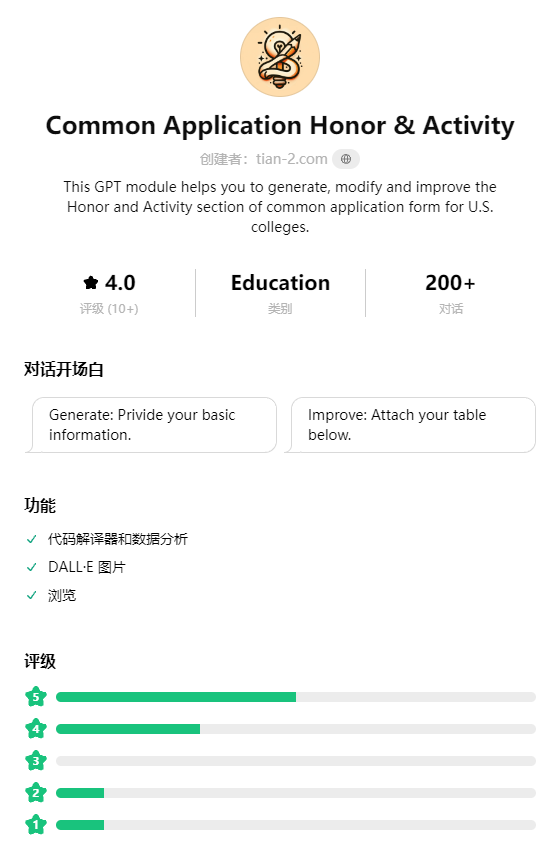
Step 2 — prompt plus student material generates the initial table
- Open in Canvas. The table response includes a button to open in Canvas. Once in the Canvas view you can edit cells directly, ask AI to expand thin descriptions, and adjust the language register. If a Description field is sparse because the source material was sparse, ask Canvas to expand it — then review carefully for accuracy before keeping it.
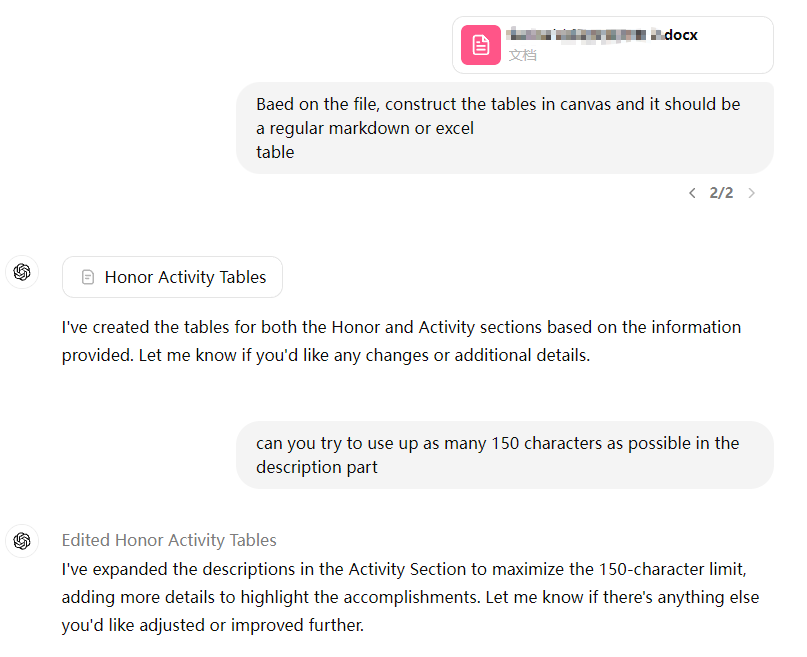
Step 3 — Canvas view with inline editing
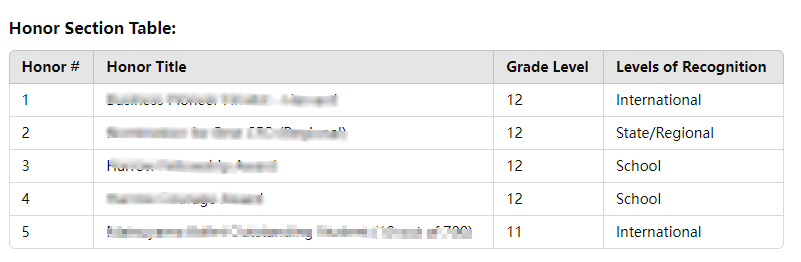
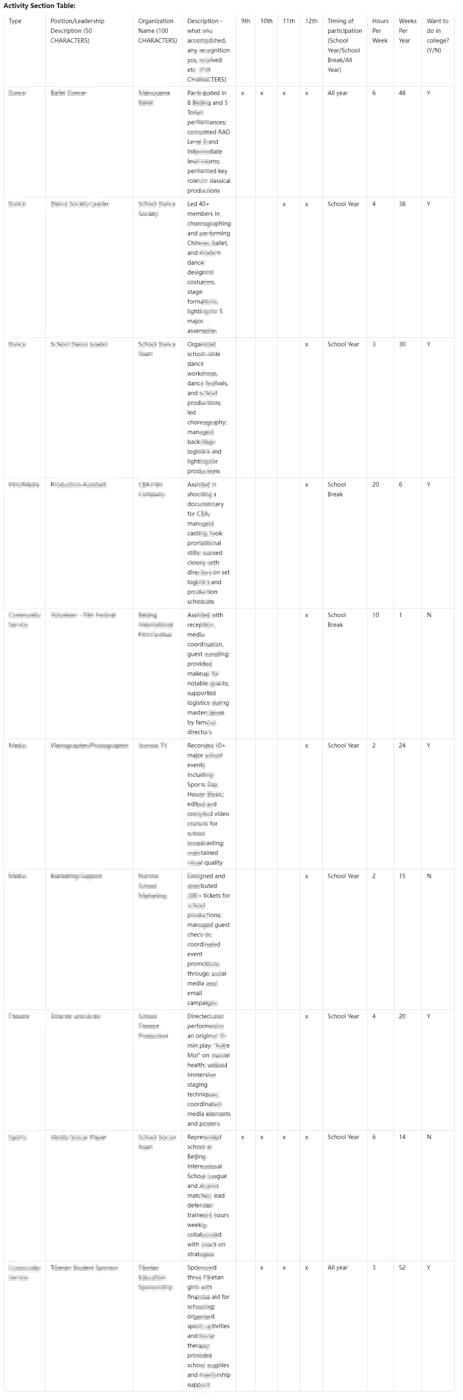
- Copy and use. When the table looks right, copy it directly into your application tracker — I paste it into the admissions management view I share with students and families for their review before submission.
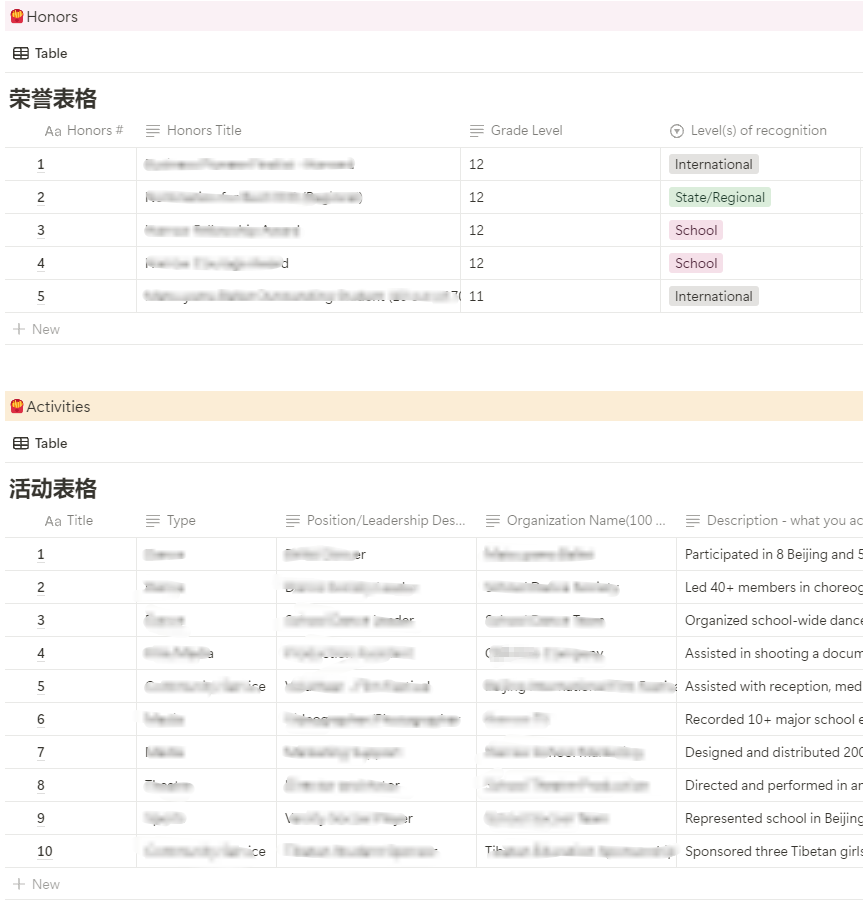
Step 4 — pasted into the admissions tracker for student and family review
Time and caveats
If the whole process takes more than a minute, something has gone wrong upstream — the student's material is probably not organised yet. Fix that first. The AI step itself is fast; the preparation is the work.
A few things Canvas will not fix: vague source material produces vague descriptions that AI will pad rather than improve; Common App character limits require manual trimming after generation; and the tool does not know which activities are genuinely significant for a particular applicant's profile — that judgement belongs to the student and their counsellor, not to the model.